

Using the Get Value of Map Function
In this example, you can use the Get Value of Map function to select a value defined in environment value mapping.
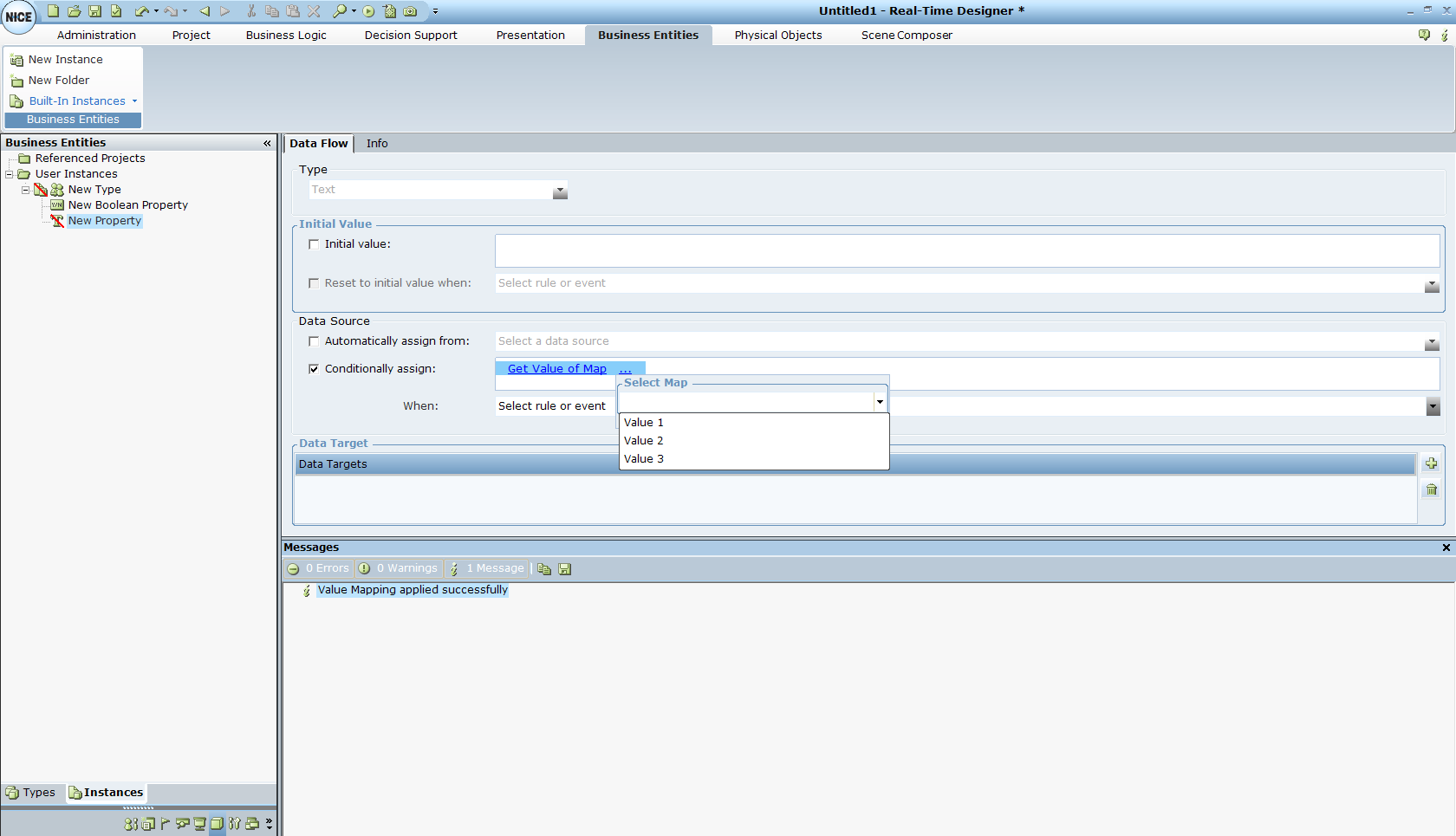
This function displays all the values that you defined in the environment value mapping, allowing you to select the correct value from the drop-down list, according to the environment.
During runtime on the client, the value returned by the Get Value of Map function is determined according to the environment currently running on the client.
Real-Time Designer must be connected to the server to use the Get Value of Map function.
