

Exporting Display Name Mappings
Display name mappings can be exported to another environment. Exporting to another environment automatically overwrites any display name mappings that exist in the target environment.
To export display name mappings to another environment:
| 1. | In the Current Environment area at the top left of the window, from the drop-down list select the environment from which you want to export display names. |
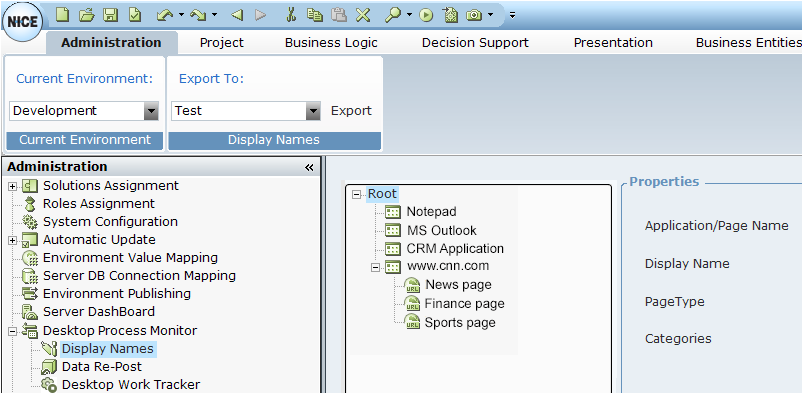
| 2. | In the Export To area, select the environment to which you want to export display names. |
| 3. | Click Export. |
The entire Display Name database for the selected environment is exported to the selected target environment.
