

Defining a General Exception
You can define a General Exception that enables the system to handle exceptions that occur during client runtime.
To define a general exception:
| 1. | Create an instance of the Exception: |
| a. | Navigate to Business Entities and select the Types tab. |
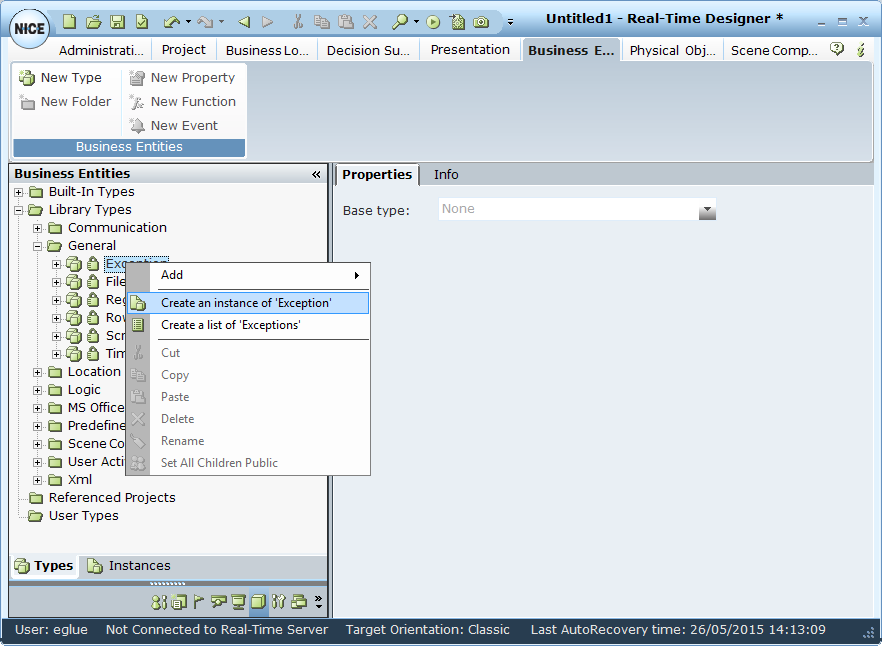
| b. | In the Business Entities tree, expand Library Type > General, then right-click Exception and select Create an instance of Exception. |
| 2. | Select Business Logic and select Event Handlers tab. |
| 3. | Define an Event handler, select the New Event Handler option. |
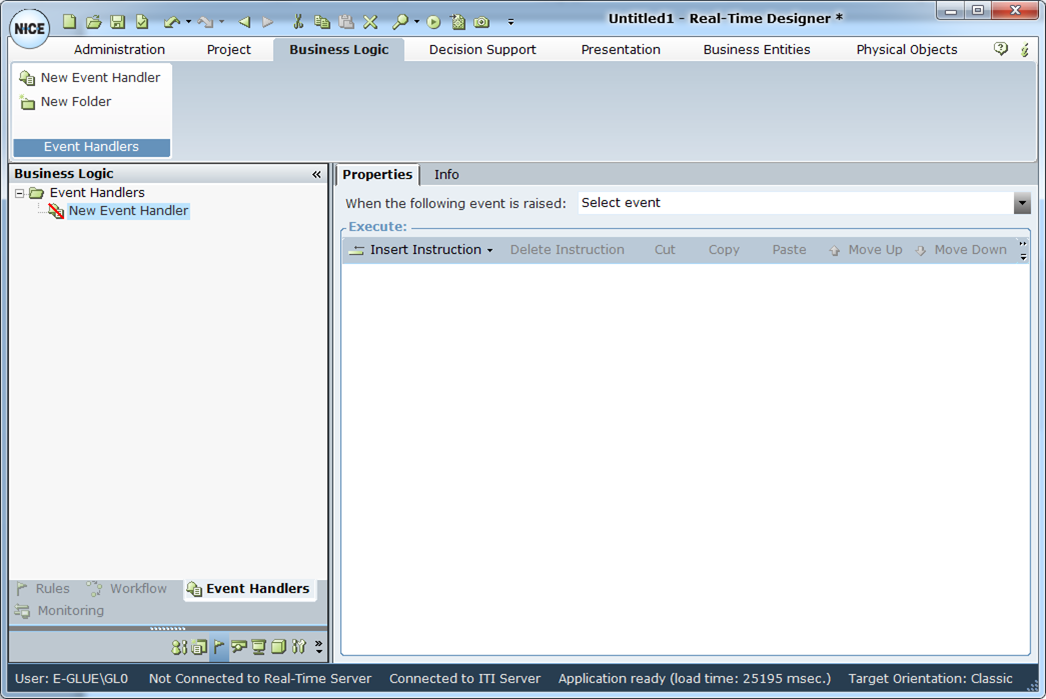
| 4. | In the Properties tab, from the When the following event is raised menu, select the event type: Library Objects. |
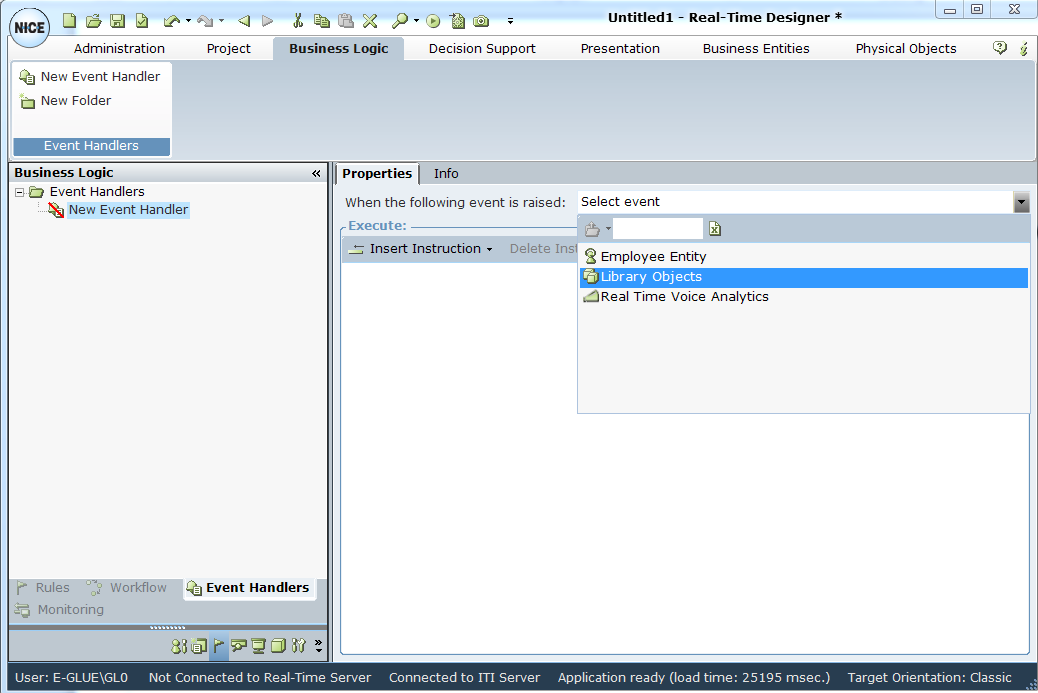
| 5. | From the list of Library Objects, select Error Handling. |
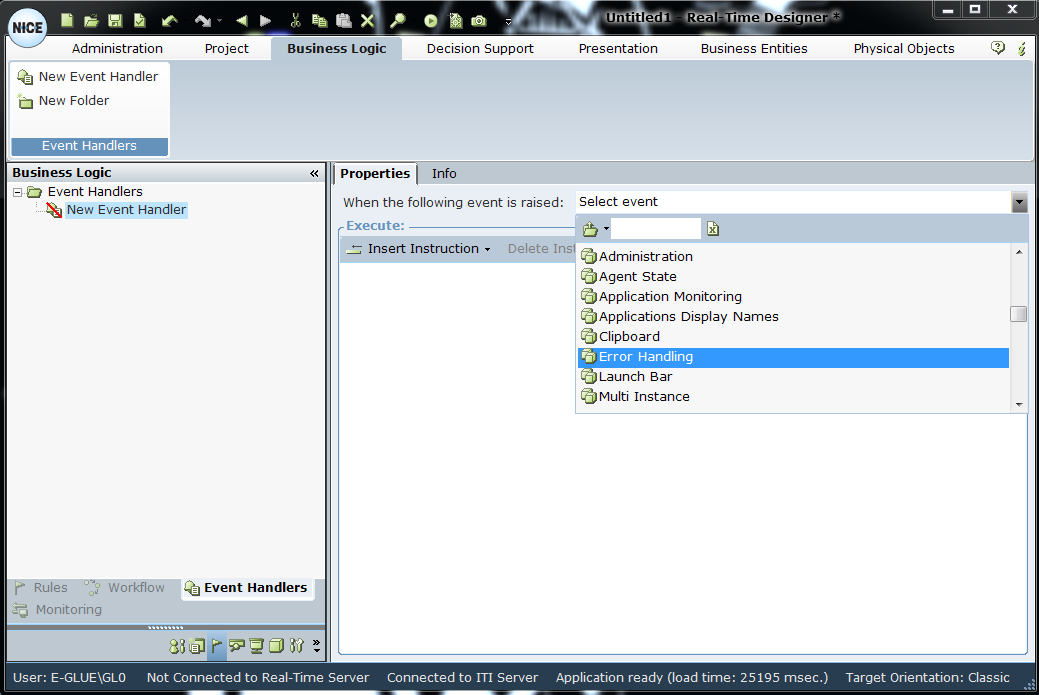
| 6. | From the Error Handling list, select Exception Occurred. |
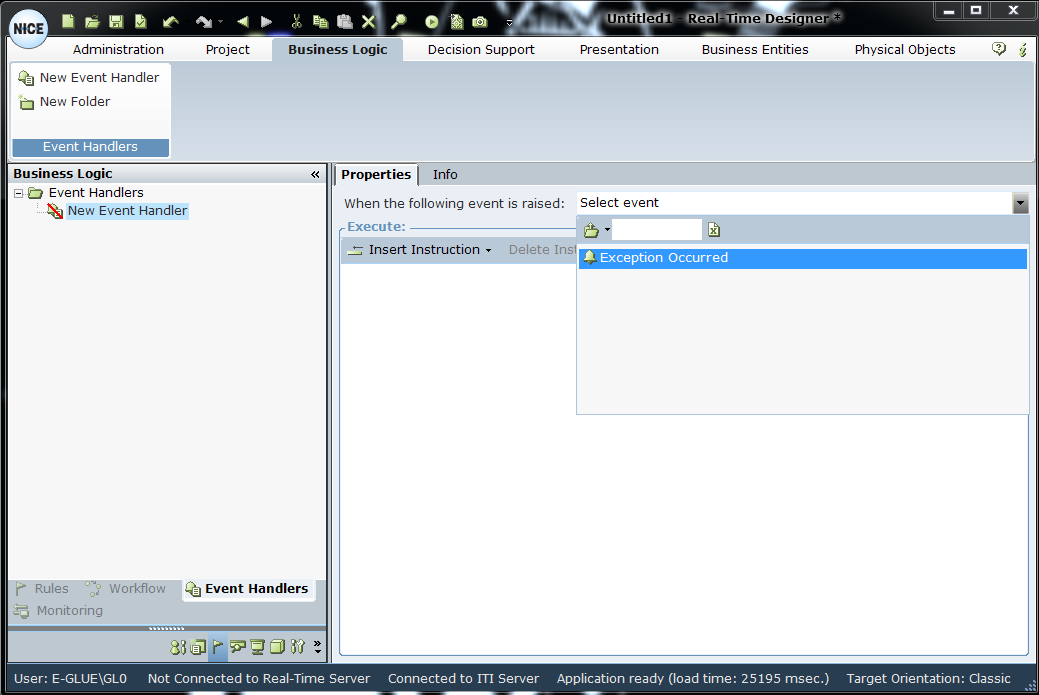
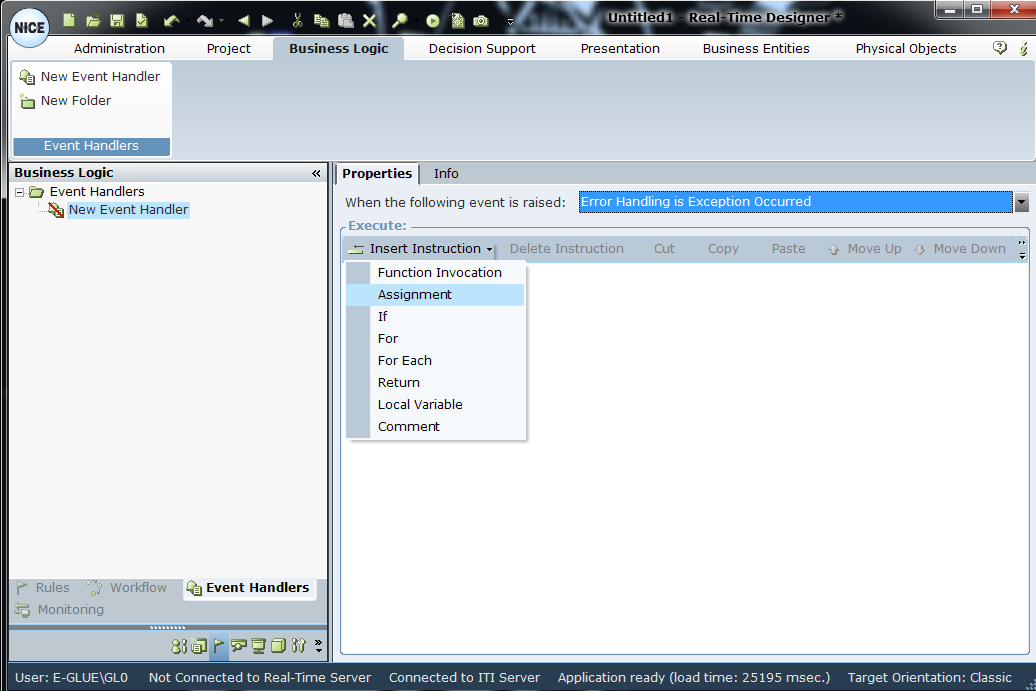
| 7. | Use the Assignment tool to select the business entity to hold the exception message, as shown in the series of windows below. From the Insert Instruction menu, select Assignment. |
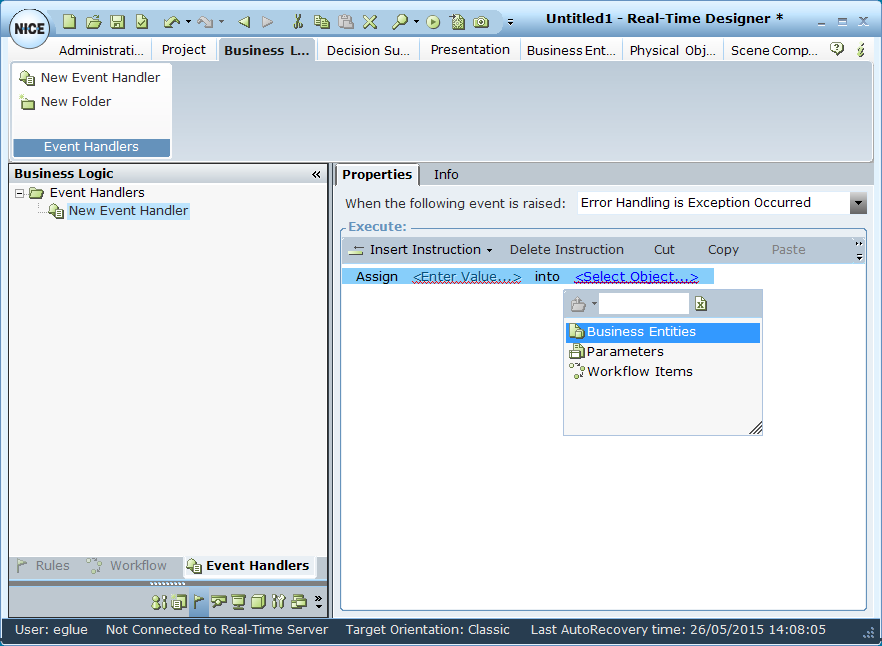
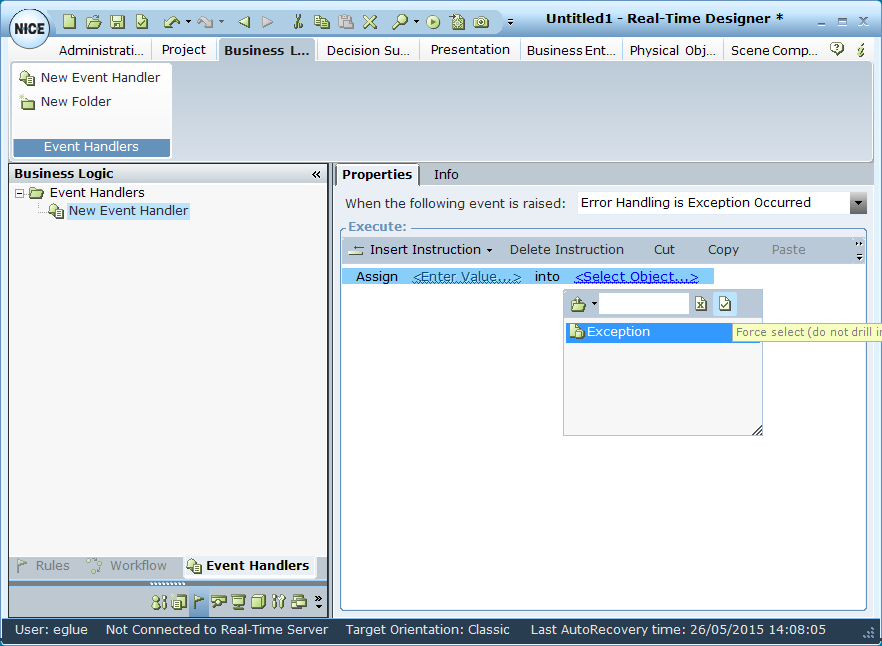
When selecting Exception, make sure to click the Force Select icon.
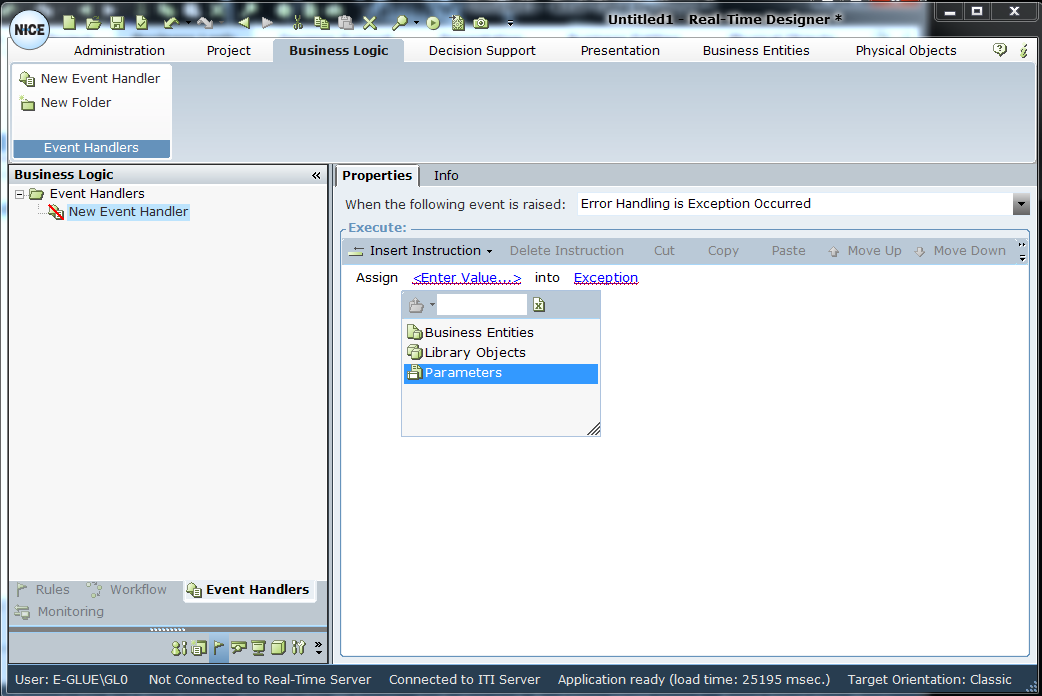
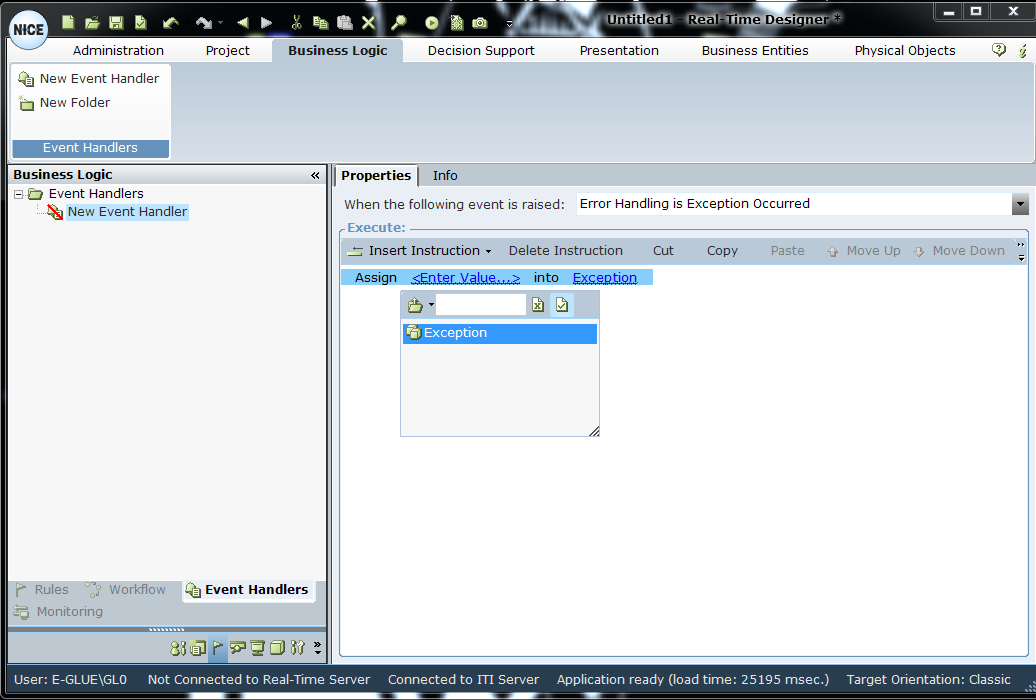
When selecting Exception, make sure to click the Force Select icon.
The Event Handler informs you whenever a general failure occurs. Based on the message you receive, you can then use that logic in your project to define the actions to take.
