Using HTML DOM Methods and Events in Real-Time Designer
The purpose of using developer tools in a web browser is to identify the HTML DOM elements and their properties or events and invoke them using Real-Time Designer.
The event handlers mentioned can be utilized in NICE Real-Time Designer. There are some situations where Real-Time Designer is not able to fire an automatic event on certain HTML components and we can fire an event on handling it manually.
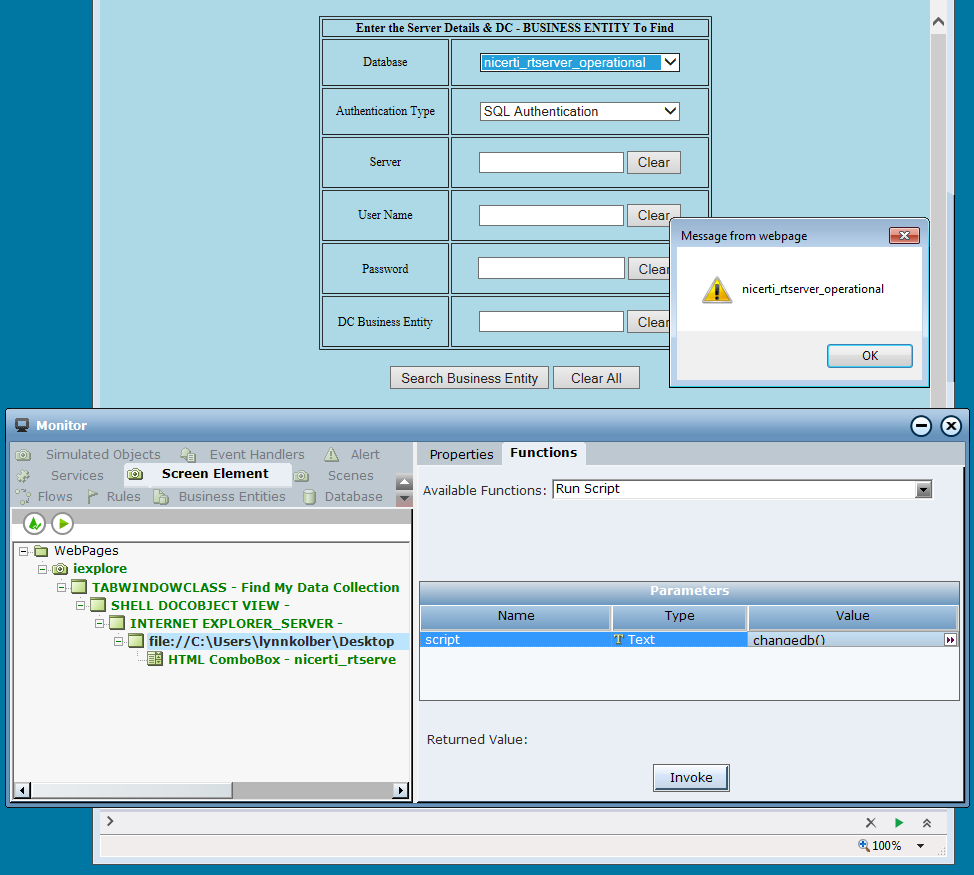
Consider an example HTML page where the alert box is displayed on changing the value of the combo box.
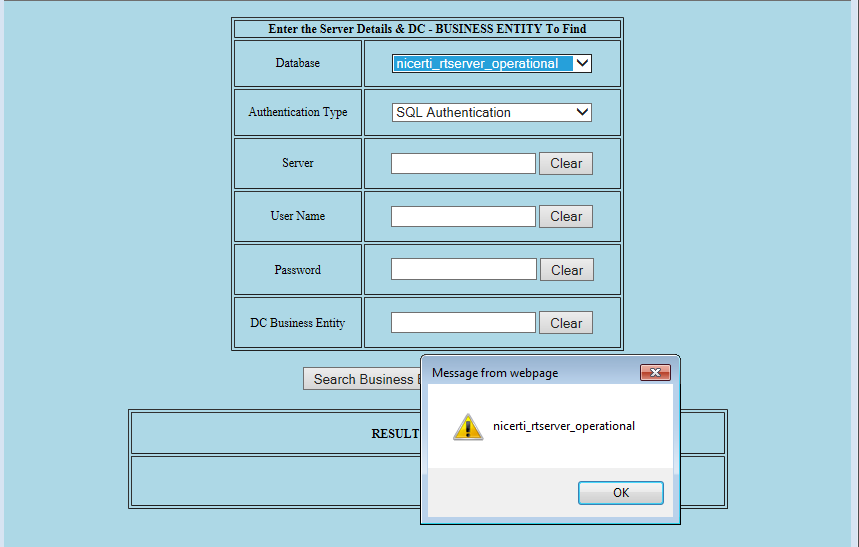
If we select the value in the combo box using RT Designer/Monitor, it assigns the value to the HTML element but the event (show alert box) to be raised is not triggered.
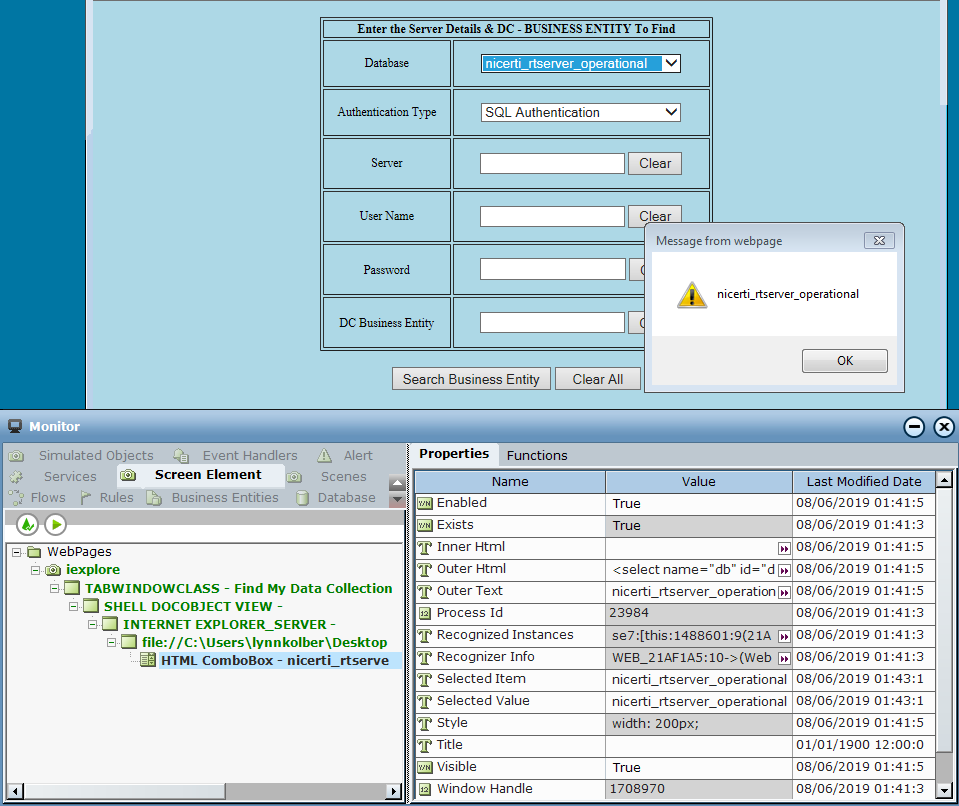
In this scenario, you can invoke the event handler of the HTML element using the Run script function either through Monitor or Real-Time Designer.
-
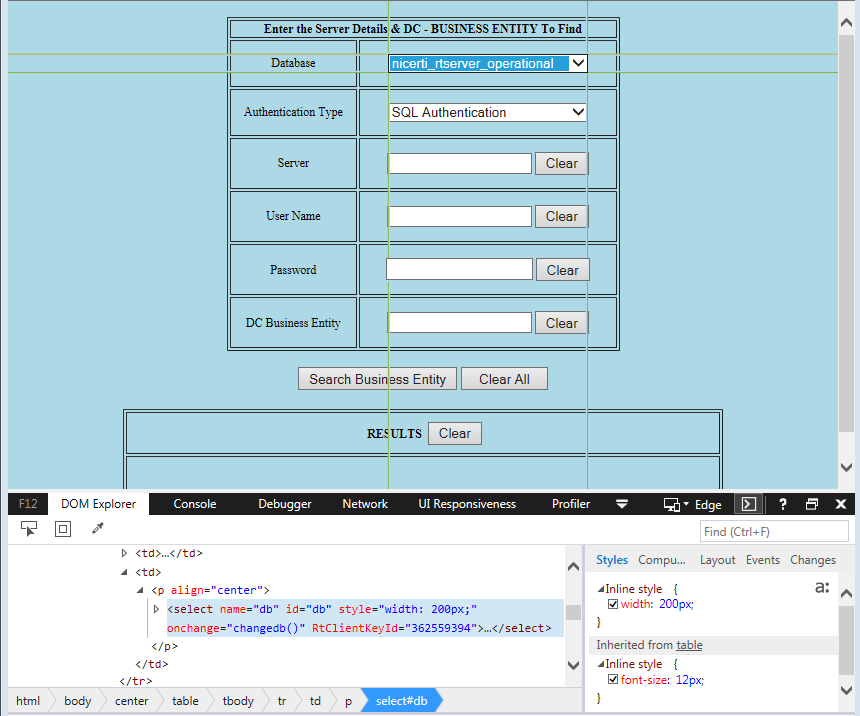
In order to implement this invocation, first select the element in the DOM Explorer and identify the event of an element to be raised. In this example, onchange =”changedb()”. The function changedb() is invoked during the onchange event.
-
Select the parent of the combo box screen element and invoke the event using the Run Script function.
-
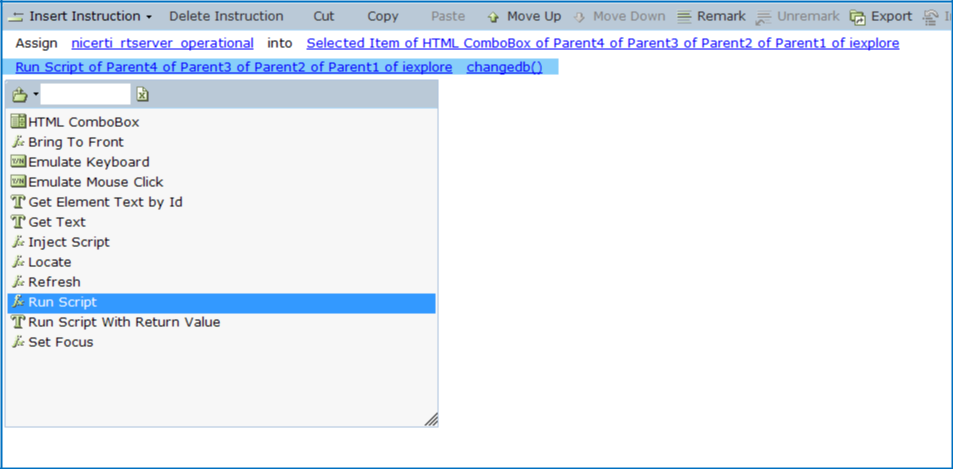
You can also write a function in Real-Time Designer to assign and invoke an event.
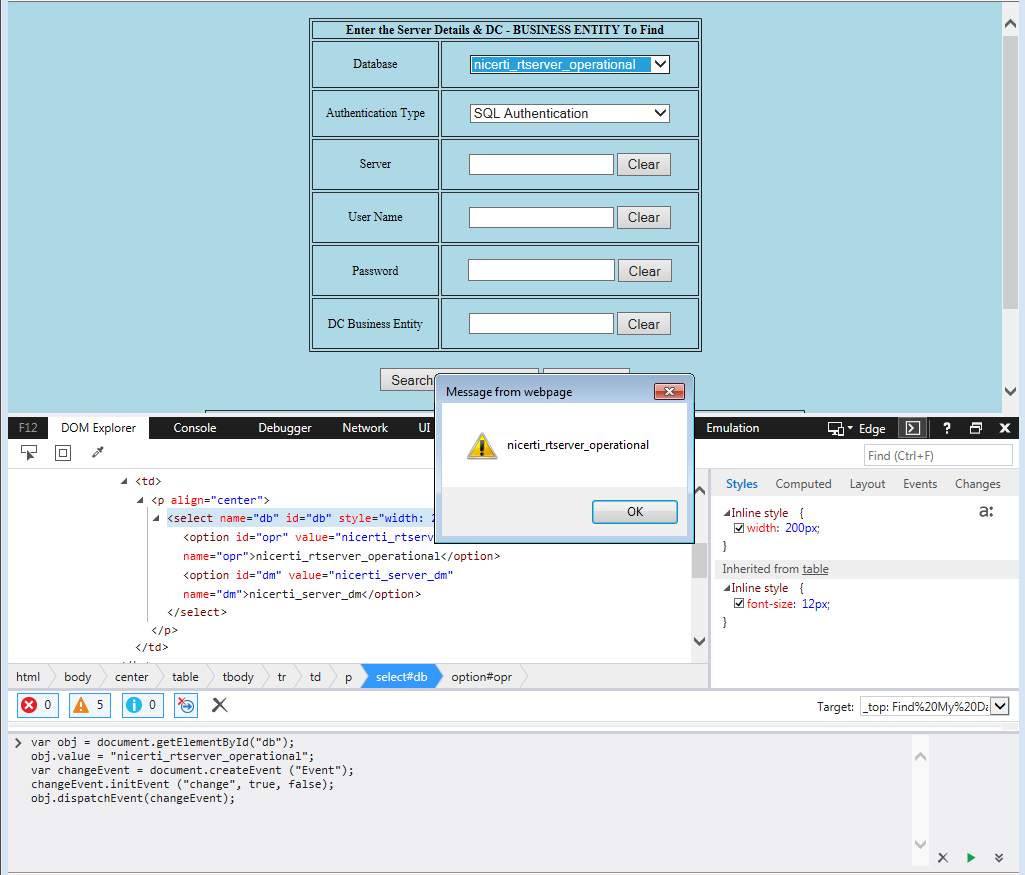
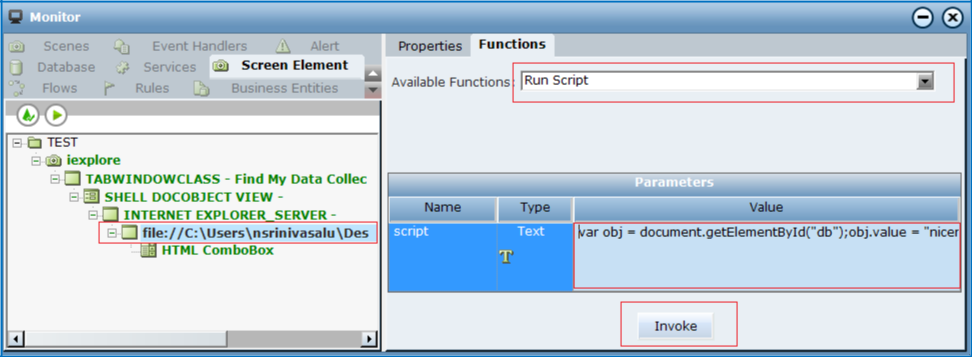
Sometimes invoking the function will not emulate the event of an HTML element. In this case, we need to write a script to assign a value to the combo box, create an event and emulate it manually.
For example:
var obj = document.getElementById("db");
obj.value = "nicerti_rtserver_operational";var changeEvent = document.createEvent ("Event");
changeEvent.initEvent ("change", true, false);
obj.dispatchEvent(changeEvent);
Inject Script
You can also use the Inject Script function to invoke the script from RT Monitor/Designer but the key difference it that the script is injected into the web page and it remains active until the web page is refreshed.
Technically, once the script (containing one or more functions in it) is injected, the functions can be invoked using the Run Script function by calling the function name any time until the web page is refreshed/screen element is re-created.
Differences between Inject & Run Script Functions in Real-Time Designer
|
Inject Script |
|
Run Script |
|---|---|---|
|
Injects the scripts into the web page. |
|
Runs the scripts in the web page. |
|
Functions can be declared and invoked anytime until the web page is refreshed/screen element is re-created. |
|
Functions cannot be declared but the function body can be executed without having to declare even though the web page is refreshed/screen element is re-created. |
|
Example |
|
|
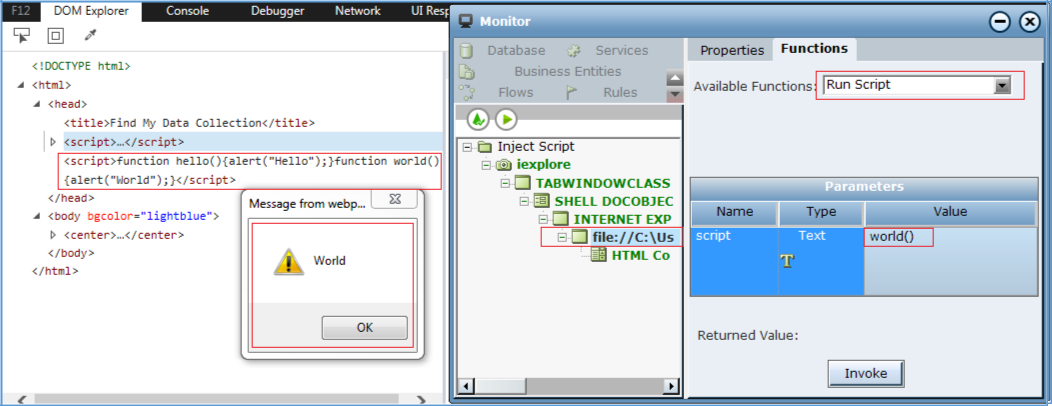
Take a look at the following script where the script contains two functions, hello() and world():
function hello(){alert(“Hello”);}function world(){alert(“world”);}Once the above the script is injected, in the DOM Explorer we can see that the script is injected and this remains until the web page is refreshed.
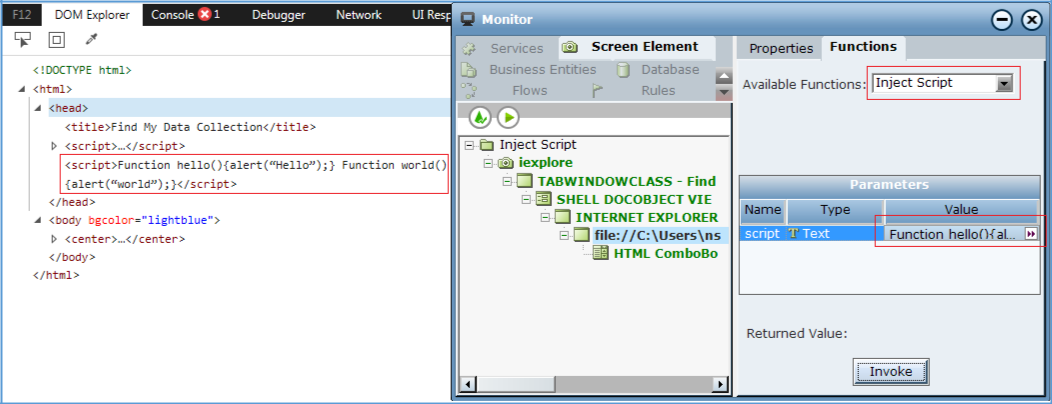
Now we can invoke the world() function which is defined in the script using the Run Script function.