Writing to the Log
In addition to standard logs, a developer can add their own log items to the Real-Time Client log files.
Use the Write Text To Log function to write a line of text to the log file.
To write to the log:
|
1.
|
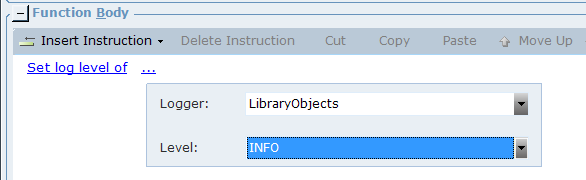
Ensure that the logging level for the LibraryObjects logger is set to INFO or above. |
|
2.
|
(Optional) To set the logging level in Real-Time Designer, in the Action Editor, when adding a function, select Library Objects, Administration, Set log level of. |
|
3.
|
From the Logger drop-down list, select LibraryObjects. |
|
4.
|
From the Level drop-down list, select INFO or above. |
|
5.
|
To write to the log, when adding a function in the Action Editor, select Library Objects, Administration, Write text to log, and then enter the required log text. |