


Defining the Extra Terminal service enables you to integrate an Extra Terminal with the Real-Time Designer system. When the EXTRA Terminal is running, bind a session name with the open session.
To configure Extra Terminal emulator to be captured:
| 1. | Go to the Options menu, and select Global Preferences. |
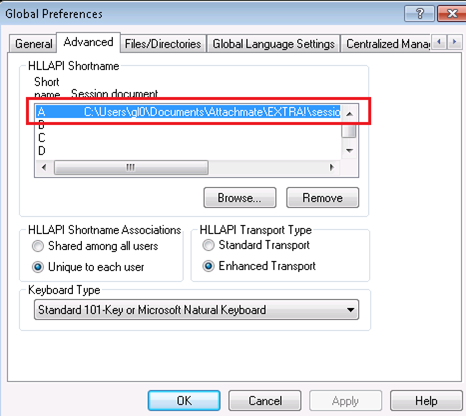
| 2. | In the Global Preferences window, select the Advanced tab. |
| 3. | In the HLLAPI Shortname section, click the A in the list box, and define the path to the open session. |
The Extra Terminal connector can be used with for all terminals that include the elapi32.dll library.